How to Share an Amazon Account Safely and What You Need to Know
 2026.04.28 08:20
 YT.Shi
Sharing an Amazon account can be a convenient way to split membership costs, give family access to Prime benefits, or simply let someone else use your saved payment method. The most important rule is that sharing your password with anyone outside your household is a direct violation of Amazon’s terms and a major security risk.
However, Amazon provides a built-in feature that lets you share your account the right way. This guide covers the official method, explains a technical workaround some people use, and answers common questions about multiple accounts and sharing risks.
Why You Might Want to Share an Amazon Account
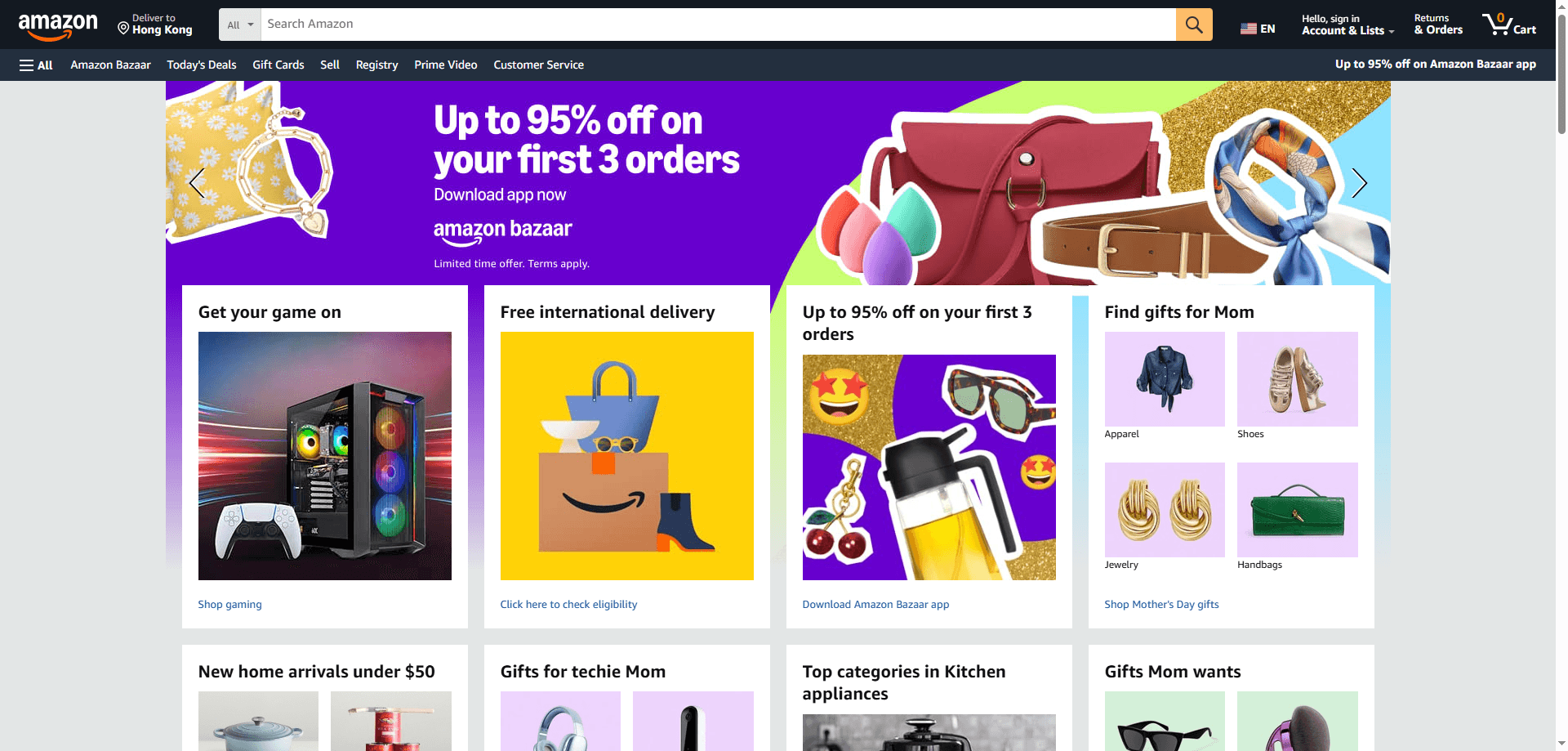
People look for ways to share Amazon access for several practical reasons. The most common is saving money. A single Prime membership covers fast free shipping, Prime Video, Amazon Music, Prime Reading, and other perks. Splitting these benefits with a family member who lives at the same address means each person pays less while keeping all the features.
Some households also want to combine shopping lists. Parents might share an account with a partner so both can order household essentials without duplicating purchases. Others want to share digital content libraries like purchased movies, Kindle books, or Audible audiobooks with someone they trust. And in some cases, a person may simply want to let a relative use their card for a one-time purchase without having to reveal their full financial details.
The official Amazon Household setup makes all of this possible without giving away your password.
How to Share Your Amazon Account Safely Using Amazon Household
Amazon Household, which is now largely transitioned to Amazon Family, is the only authorized way to share Prime benefits while keeping separate usernames and passwords. Rather than handing out your login credentials, you invite another adult to link their own individual Amazon account with yours. This means you both maintain privacy over your purchase history, recommendations, and watchlists, yet you share the benefits.
Who You Can Add
Up to 1 other adult (age 18+): This person must live at the same primary residential address as you and have their own Amazon account.
Up to 4 children (age 12 and under): Children can enjoy content but are not allowed to make purchases.
Existing Teen accounts (ages 13-17) only: Amazon stopped accepting new signups for teen accounts on April 7, 2025. However, teens added before that date can still have their own login to shop or stream content with parental oversight.
How to set it up step by step
1. Start from the Amazon Family page
You can reach it by hovering over “Account & Lists” and selecting “Amazon Family” or by searching “Amazon Household” directly in the search bar.

2. On the main Household page, choose the “Add Adult” button
You will be asked to provide the name and email address of the adult you want to invite. This person must be 18 or older and must live at the same primary residential address as you.
3. An invitation is sent to that email
The other adult can accept it in one of two ways. You can have them sign in to their Amazon account on the same device you used, or they can open the email and follow the link to verify their own account. If they do not have an Amazon account yet, the system will guide them through creating one.
4. Agree to Shared Payment Access
Once the invitation is accepted, both adults must agree to share the credit and debit cards linked to their accounts. This is a mandatory verification step. Each adult’s payment methods become visible to the other. While you remain logged into your own default card, the other adult has the ability to select and charge one of your cards for their purchases. Amazon will send a notification if a card is moved between wallets.
5. After agreeing, your accounts are linked
You can also add up to four children under 13 who can consume content but cannot shop. Teens aged 13 to 17 who were added before April 7, 2025 can still have their own login to stream or shop with spending limits set by the adults. Amazon no longer accepts new signups for teen logins.
What Benefits Can Be Shared
Once set up, the adults in the Amazon Household can share a wide range of Prime benefits, including:
● Fast, free Prime delivery (like two-day shipping).
● Streaming access to Prime Video and Amazon Music.
● Access to exclusive deals and shopping events like Prime Day.
● A selection of free eBooks, audiobooks, and magazines.
● A free Grubhub+ membership and everyday fuel savings at participating locations.
Important Rules to Keep in Mind
Same Address is a Must: All adult members must share the same primary residential address. You cannot share benefits with friends or family who live elsewhere.
Waiting Period: If you remove an adult from your household, neither you nor that adult can join another one for 180 days. If you leave a household, you must wait 12 months before joining a different one.
An Unofficial Workaround: Anti-Detect Browsers Like BitBrowser
Many users look for flexible ways to share a single Amazon account with others living at separate addresses, or prefer to skip the mandatory payment method sharing required by Amazon Household. For these needs, anti-detect browsers have become a common alternative option, with BitBrowser being one of the most widely used tools in this category.
How Anti-Detect Browsers Work
Anti-detect browsers can generate fully independent, isolated virtual browser profiles. Each profile comes with exclusive cookies, local storage, time zone, language and system information, along with unique device fingerprint data such as screen resolution, canvas hash and WebGL parameters.
With proper configuration, each independent profile can present distinct device and location information to Amazon’s system. This enables separate browsing environments even when operating under the same physical device or network.
Step-by-Step Account Sharing via BitBrowser
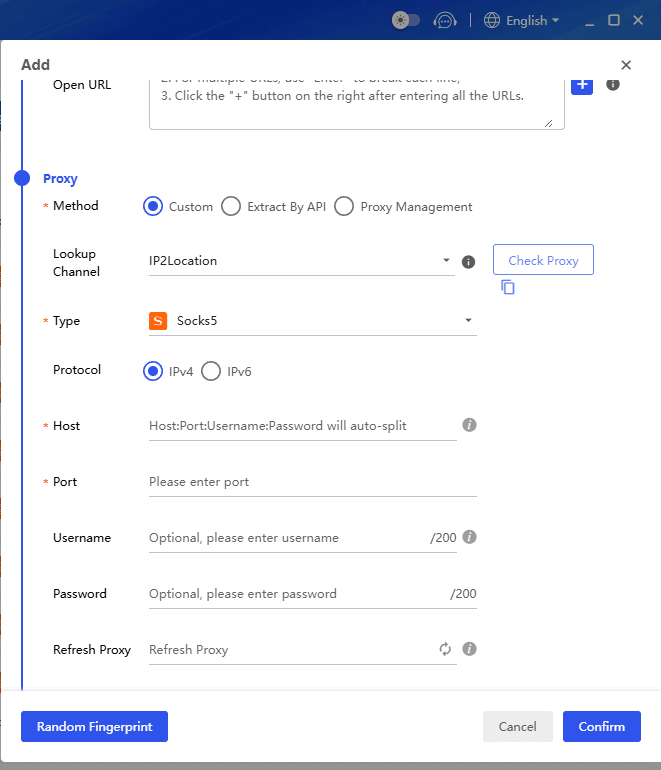
1. The account owner installs BitBrowser and creates an independent profile for each shared user.
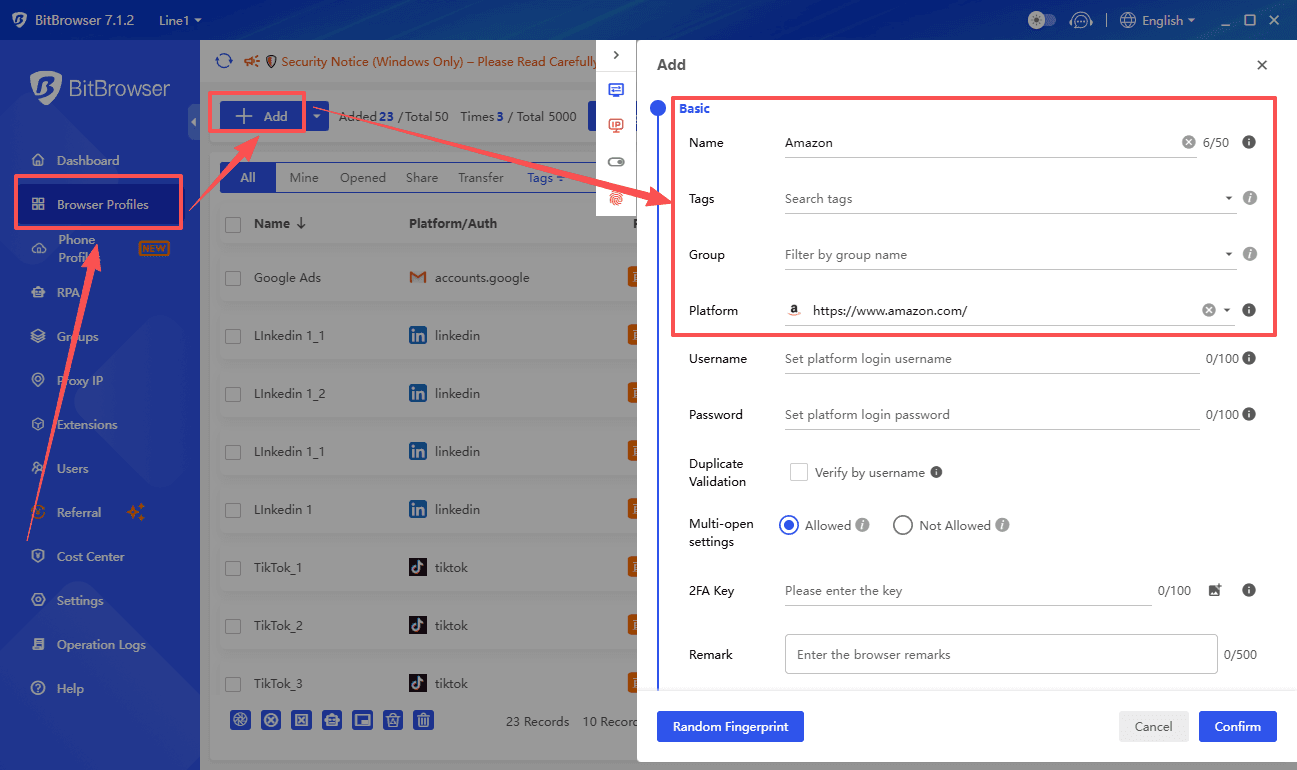
2. Configure a exclusive proxy IP and matched device fingerprint for every profile to fit the user’s real location.
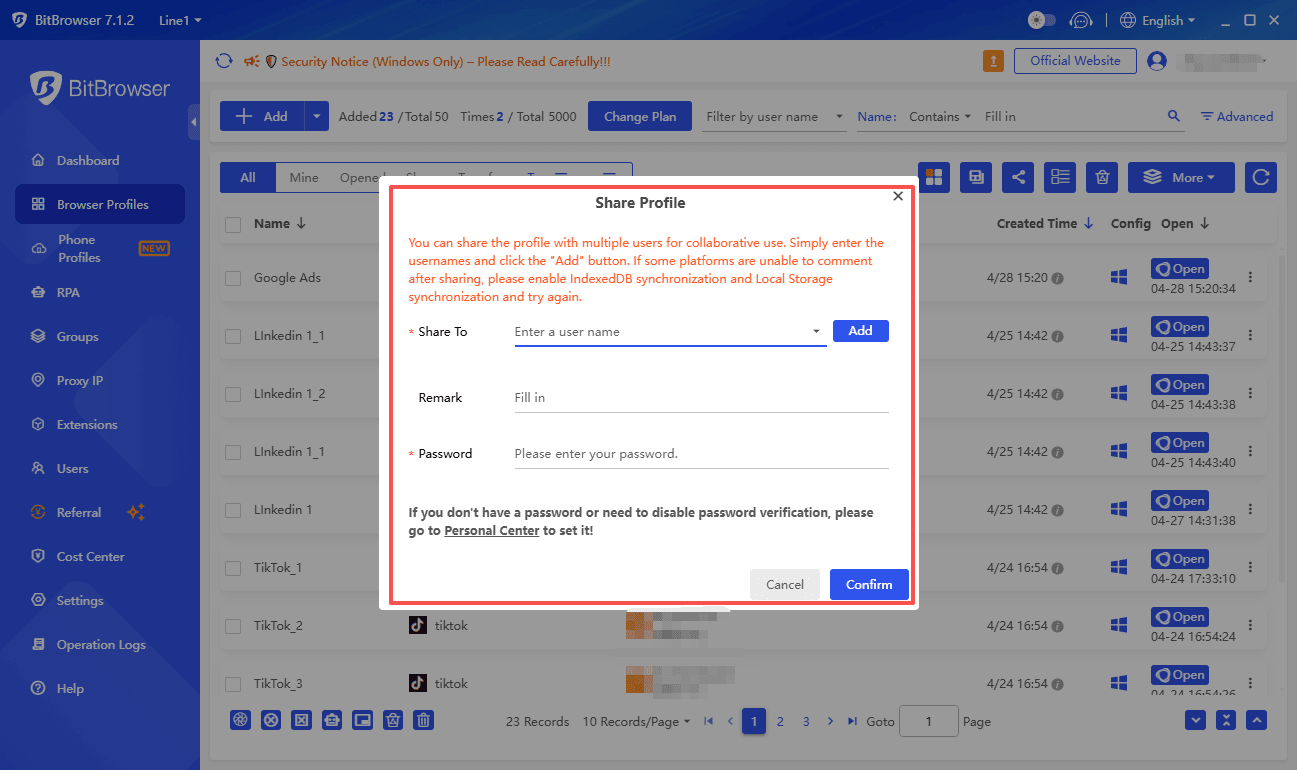
3. Share the unified Amazon account credentials with all authorized users.
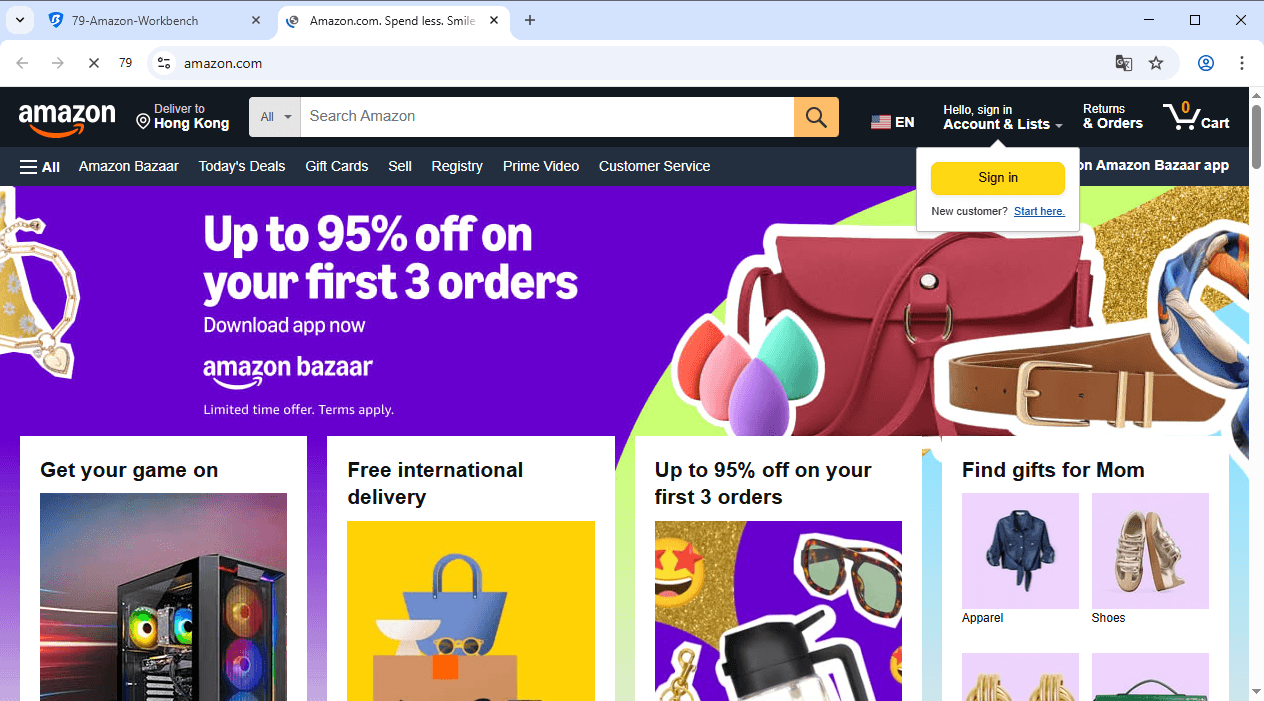
4. Each user logs into Amazon exclusively through their assigned BitBrowser profile.
5. Mask cross-regional account behaviors to evade Amazon’s basic security detection.
Additional Team Collaboration Features
BitBrowser offers built-in team management tools originally designed for e-commerce seller accounts:
● Transfer profile access without exposing proxy configuration
● Customize multi-level user operation permissions
● Centralize management for mass independent account environments
Sign Up
Precautions When Sharing an Amazon Account with Others
If you decide to use Amazon Household, there are several important things to keep in mind before you invite someone.
Payment Method Access Rules
Payment method sharing is the biggest consideration. The other adult in your Household can view your saved payment cards and complete purchases with these methods.
Amazon sends notifications when a card is moved to another user’s wallet. Still, there is no option to limit card usage after access is granted. It is advised to only connect your account with someone you fully trust financially.
Digital Media Usage Limits
Prime Video and Music keep independent profiles and viewing history for each user. Sharing login credentials outside the official Household function for media streaming does not comply with Amazon’s regulations.
Official Household provides separate independent logins for every adult user to avoid such risks. Sharing your original account password with people outside the family group will bring overall account safety risks.
Private Data and Content Separation
Order history and personalized recommendations remain independent for each adult in the group. Every user keeps their exclusive purchase records.
This is a key benefit compared with direct password sharing which combines all user data together. Kindle books and Audible content also run on controlled family library permissions under Household, ensuring limited and safe content access.
Household Membership Restrictions
There is a fixed waiting period for membership changes. After removing an adult member, both parties cannot join a new Household within 180 days.
Users who voluntarily leave a Household need to wait 12 months to join another group. This rule controls frequent benefit switching between different user groups. It is important to make careful decisions before binding accounts.
Account Responsibility Boundaries
The primary account holder is accountable for all behaviors from members in the Household. Any violation of content licensing agreements or improper purchase activities by other members will lead to related impacts on the main account.
Can You Have Multiple Amazon Accounts
Yes, Amazon permits multiple buyer accounts, each with a unique email and phone number. The risk is technical. Amazon tracks browser fingerprints and IPs, so logging into several accounts from the same device often triggers automatic suspensions for linked accounts.
BitBrowser solves this directly. It creates fully isolated virtual profiles with unique fingerprints and dedicated proxies, making every account appear as a separate device in its own location. This keeps your accounts genuinely independent and stable for personal, business, or client needs.
Remember, one person can join only one Amazon Household, and seller accounts always require prior approval.
Final Thoughts
For families who live apart, for freelancers who assist with deal hunting and purchase management, or for anyone who wants to share an Amazon account across multiple locations without constant verification requests, BitBrowser offers a reliable solution. It bridges the gap where Amazon Household stops, and it does so with a level of separation and control that simple password sharing can never provide.
Choose the method that fits your actual living situation. If official Household sharing works for you, it remains the simplest option. If it does not, BitBrowser gives you a practical way to share access while keeping the account stable and secure.

 Multi-Account Management
 Prevent Account Association
 Multi-Employee Management
Recommended
See More